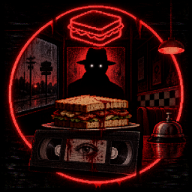
Serve Or Die download: Official Demo and Steam Release Guide for Windows
Find the official Serve Or Die download for Windows, compare the demo with the Steam release, check requirements, and install safely.
Where to Get the Official Serve Or Die download
Searching for a Serve Or Die download should lead you to the real Dead Tape Studio release, not an unrelated game with a similar title or an unverified file host. That matters because Serve Or Die turns an ordinary sandwich-shop night shift into an escalating psychological-horror experience, and the version you choose affects what you can play. This guide explains where to find a Serve Or Die download, how to install it safely, and what to check before starting.
The details below reflect storefront information available on September 4, 2026. Prices, system requirements, promotions, and game builds can change, so confirm the current listing before downloading or buying.
The verified demo source is Dead Tape Studio's official Serve Or Die page on itch.io. For the commercial release, use Dead Tape Studio's Serve Or Die Steam store page.
| Verified detail | Store-page information | Why it matters |
|---|---|---|
| Developer and publisher | Dead Tape Studio | Confirms you are looking at the correct game entity. |
| itch.io version | Windows demo named Serve Or Die Demo.rar | This is the official preview download. |
| Demo file size | 123 MB | Useful for planning the initial download and extraction. |
| Steam release | Listed as released on September 4, 2026 | Identifies the retail Steam version. |
| Steam features | Single-player, 10 achievements, stats, and Family Sharing | Helps distinguish the Steam release from the standalone demo. |
A legitimate Serve Or Die download should identify Dead Tape Studio and direct you to the official itch.io or Steam destination. Check both the game title and the publisher name before selecting a download button.
Choosing the Right Serve Or Die download
The best Serve Or Die download depends on whether you want a no-cost preview or the current Steam release. The itch.io demo is intended to introduce the premise and atmosphere, while the developer notes that visuals, sounds, mechanics, and gameplay may change as development progresses.
| Option | Best for | What the listing provides | Important consideration |
|---|---|---|---|
| Official itch.io demo | Trying the game before purchasing | A downloadable Windows preview in a 123 MB RAR archive | It is an early version and may not match every detail of the release. |
| Steam release | Players who want the retail version and Steam features | The released game, achievements, stats, and Family Sharing | Price and promotional discounts are time-sensitive. |
At the reference snapshot, Steam listed a regular price of $4.99 and an introductory price of $3.49, described as a 30% discount ending September 18. Treat that as historical listing information rather than a guaranteed current offer.
Choose the demo first when you want to:
- Test whether the game's PSX-inspired visuals and VHS-style presentation appeal to you.
- Confirm that the game runs acceptably on your Windows PC.
- Experience the basic night-shift setup without committing to the Steam release.
- Avoid assuming that a preview build represents every final mechanic or story beat.
Choose the Steam version when you want the released experience and platform features such as achievements. Steam also lists English full audio and subtitles, plus interface and subtitle support in English and 13 additional languages.
How to Complete a Serve Or Die download Safely
Every Serve Or Die download should begin at an official source. The two valid routes use different installation methods, so following the right steps prevents confusion over archives, storefront accounts, and version differences.
| Step | itch.io demo route | Steam release route | Recommended check |
|---|---|---|---|
| 1. Verify the page | Open the Dead Tape Studio itch.io page | Open the Dead Tape Studio Steam listing | Confirm the title is exactly Serve Or Die. |
| 2. Get the game | Select the Windows demo download | Use Steam's current purchase and install flow | Avoid third-party mirrors and repack sites. |
| 3. Save the files | Download the Serve Or Die Demo.rar archive | Let Steam manage the game files | Keep enough free space for the download and installation. |
| 4. Install or extract | Extract the RAR file into a dedicated folder | Install through your Steam library | Follow any included game documentation. |
| 5. Check current details | Review the demo notice for changes | Review Steam's live requirements and notices | Do not rely on outdated screenshots or price listings. |
The itch.io file is a .rar archive rather than a single-click installer. Use a reputable archive utility to extract it, then follow the files or instructions included with the download. Because preview builds can change, do not assume a fixed executable name or folder structure from an old video guide.
Before opening any downloaded archive, scan it with your normal security tools. Never bypass an operating-system warning solely because a search result claims to offer the game. Official storefront links are the most reliable way to ensure that the file corresponds to the real Serve Or Die release.
Steam users can install the game through the Steam client after obtaining it through the official store page. This route is generally the simplest choice for players who prefer their game library, achievements, and updates managed in one place.
What to Expect After a Serve Or Die download
Serve Or Die is a psychological horror game built around a deliberately familiar routine: working alone in a small sandwich shop during the night shift. You take orders, prepare food, serve customers, and try to keep the business operating while the atmosphere becomes increasingly disturbing.
| Aspect | Supported game description | What it means for players |
|---|---|---|
| Setting | A small sandwich shop during a night shift | The confined workplace is central to the tension. |
| Core loop | Take orders, prepare food, and serve customers | Routine service tasks are the foundation of the gameplay. |
| Visual direction | PSX-inspired retro visuals and VHS-style atmosphere | Expect stylized, intentionally lo-fi horror presentation. |
| Horror structure | Strange customers and a growing uncertainty about reality | The game leans on unease and escalation instead of a purely relaxing cooking loop. |
| Story format | Short, story-driven gameplay | It is designed as a focused horror experience rather than an endless restaurant simulator. |
Player experience: a community demo playthrough shows hands-on food preparation, cleanup tasks, expanding menu items, and increasingly uncomfortable customer encounters. That footage reflects a preview build, so it should not be treated as a promise that every sequence will appear unchanged in the released version.
The Steam content disclosure also deserves attention before you play. It warns of psychological-horror themes, threatening behavior, stalking, home-invasion-like situations, implied violence, and potentially distressing scenes. The listing states that it does not include explicit sexual acts, self-harm, drug use, or sexual assault, but the tone may still be too intense for players sensitive to suspense or aggressive confrontations.
PC Requirements and Pre-Launch Checks
Steam lists Serve Or Die as requiring a 64-bit processor and operating system. The supplied listing identifies Windows 10 as the minimum operating system and Windows 10 64-bit as the recommended target.
| Requirement | Minimum listed | Recommended listed |
|---|---|---|
| Operating system | Windows 10 | Windows 10 64-bit |
| Processor | Intel Core i5-2300 or AMD FX-6350 | Intel Core i5-4670 or AMD Ryzen 5 1600 |
| Memory | 8 MB, as displayed on the listing | 16 MB, as displayed on the listing |
| Graphics | NVIDIA GeForce GTX 650 Ti 2 GB or AMD Radeon R7 360 | NVIDIA GTX 1060 6 GB or AMD Radeon RX 580 8 GB |
| DirectX | Version 11 | Not shown in the supplied recommendation excerpt |
| Storage | 6 MB, as displayed on the listing | Not shown in the supplied recommendation excerpt |
The memory and storage values displayed in the supplied Steam text are unusually low relative to the stated graphics requirements. Do not convert or guess at missing units; check the live Steam page before purchasing or installing.
Use this quick checklist before launching:
- Confirm that you are on a supported 64-bit Windows system.
- Compare your CPU and graphics card with the listed minimum specifications.
- Keep extra storage available for the game files and, for the demo, archive extraction.
- Try the itch.io preview first if your PC is near the minimum hardware target.
- Review Steam's listed accessibility features, including subtitle options, camera comfort options, play without quick-time events, and playable-at-your-own-pace support.
- Do not assume Steam Deck support: the Steam listing marks compatibility as unknown.
FAQ
Is there a free Serve Or Die download?
Yes. The official itch.io page offers a downloadable Windows demo and identifies it as an early preview. Its listed file is Serve Or Die Demo.rar and was shown as 123 MB in the source snapshot.
Where is the official Serve Or Die download?
Use the official Dead Tape Studio itch.io page for the Windows demo. Use the official Steam store listing for Serve Or Die for the retail Steam release.
Does Serve Or Die support macOS, Linux, or Steam Deck?
The supplied official material confirms Windows support for the itch.io demo, while the Steam requirements list Windows 10. It does not establish macOS or Linux support, and Steam Deck compatibility is marked as unknown.
Is the itch.io demo the same as the Steam release?
Not necessarily. Dead Tape Studio describes the itch.io version as an early preview and says that visuals, sounds, mechanics, and gameplay elements may change. Use the demo as a way to assess the premise and performance, not as a guarantee of identical final content.
Related Guides
Serve Or Die Demo Download Guide: What to Expect From the PSX-Style Horror Shift
Download the Serve Or Die demo for Windows, learn what its PSX-style horror preview includes, and prepare for the night shift.
Serve Or Die demo download: Official Windows Guide, Features, and Next Steps
Find the official Serve Or Die demo download for Windows, understand the horror preview, and compare it with the Steam release.
Serve Or Die free download: Get the Official Windows Demo Safely
Find the official Serve Or Die free download for Windows, verify the real demo listing, and learn what to expect before your night shift.
Serve Or Die itch io Download Guide: Get the Windows Horror Demo Safely
Find the official Serve Or Die itch io Windows demo, learn what to expect, and use spoiler-light first-shift tips before you download.